Archer BE700 Wifi 7 Review: Real User Experience After 3 Months
I've been using the Archer BE700 Wifi 7 router as my primary home router for about three months now. I bought it because I wanted to test whether Wi‑Fi 7 actually feels like a generational leap in everyday household use — not just on paper. After living with it, testing speeds, gaming, streaming, and managing a home office with multiple devices, here's my honest, first‑hand review of what I liked, what frustrated me, and who this router actually makes sense for.
Why I upgraded to the Archer BE700
My previous setup was a solid Wi‑Fi 6 router and a couple of wired devices. What prompted me to upgrade was a mix of curiosity and practical needs: more reliable high‑bandwidth performance in a cluttered apartment with many competing networks, and future proofing for devices I expect to buy over the next few years (laptops with Wi‑Fi 7 adapters, new handheld consoles, and smart home devices). I wanted to see how real‑world performance stacked up against the marketing claims about wider channels, Multi‑Link Operation (MLO), and improved latency.
Initial impressions and setup
Out of the box the Archer BE700 looks like a modern, chunky router — heavier than my old unit, with a substantial heatsink feel. Setup was straightforward: the web GUI and the mobile app walked me through initial steps, firmware check, and naming the bands. I connected my ISP modem to the 2.5G WAN port and used one of the 2.5G LAN ports for a NAS. The router prompted a firmware update during initial setup, which completed without incident.
What I found was that the initial setup is easy enough for someone who has set up a consumer router before, but the app’s advanced settings are split across screens in ways that took me a few minutes to find. If you’re the sort of person who likes to tweak lots of settings during the first hour, expect a few hops between menus.
Real‑world performance: speeds, range, and congestion
Over the last three months I've tested the BE700 in several practical scenarios: short‑range high‑bandwidth transfers (large file copies to a laptop with a Wi‑Fi 7 adapter), mid‑range streaming on multiple 4K TVs, gaming on a PC connected over Wi‑Fi, and general web/smartphone usage across the apartment.
- Short‑range peak transfers: With a Wi‑Fi 7 client and on the 6 GHz band, I routinely saw peaks of around 2.0–2.4 Gbps for sustained large file transfers at 2–3 meters from the router. That’s a real improvement over Wi‑Fi 6 in my tests, which topped out lower on the same hardware and environment.
- Mid‑range performance: Through walls and across my 80 m² (≈860 ft²) apartment, speeds on 5 GHz to modern devices were solid — typically 300–600 Mbps depending on location and interferences. The 6 GHz band of course drops off faster through concrete, but where it reaches the device it's very fast and stable.
- Multi‑device load: I regularly had multiple 4K streams, a couple of video calls, and background device syncing. The BE700 handled this better than my old router: fewer hiccups, and streaming quality stayed high even when a neighbor’s network flared up.
- Latency and gaming: When I used the router for online gaming over Wi‑Fi, latency was slightly lower and more consistent versus my old setup, especially when the router used Multi‑Link Operation (MLO) to balance across bands. That said, wired still beats wireless for competitive gaming — and MLO can’t fix physical interference or ISP issues.
I want to be clear: your mileage depends on client support. If your phone or laptop doesn't support Wi‑Fi 7 features, you won't see the peak gains. In my household only one laptop and a single handheld test device were Wi‑Fi 7 capable; everything else stayed on 5 GHz or 2.4 GHz.
Software, features, and day‑to‑day management
The Archer BE700 includes the kind of features you'd expect in a modern high‑end router: multiple SSIDs, guest network, WPA3, QoS, parental controls, and a fairly complete firewall. A few things I noticed in daily use:
Discover deals on Electronics — updated daily.
See Deals →- Firmware: TP‑Link released a couple of firmware updates during my first three months. Each update added small stability improvements and occasionally changed where a setting lived in the UI. That meant I had to relearn a menu now and then, but the updates improved Wi‑Fi stability with certain clients.
- MLO behavior: Multi‑Link Operation works and helps in my environment, especially when a device has weak 6 GHz and strong 5 GHz. In practice, MLO reduced stutters during large transfers. However, it's not flawless: occasionally a client would prefer one band outright, and switching behavior wasn't always smooth until I rebooted the router after a firmware update.
- App vs Web GUI: The mobile app is convenient for basic tasks, but for advanced network tuning I preferred the web GUI. Some of the more technical options (e.g., channel width adjustments, detailed logging) are easier to find and manipulate on the web interface.
- Heat and power: The router runs warm under load. It's not dangerously hot, but it’s warmer than I expected, and I avoid enclosing it in tight shelving for that reason.
What I appreciated
There were clear wins that made the BE700 worth keeping on my network:
- Noticeably faster throughput for Wi‑Fi 7 clients on 6 GHz — real, usable gigabit‑class transfers at short distance.
- Better handling of many simultaneous streams and background device activity — fewer hiccups and rebuffering events.
- Practical improvements in latency stability during multi‑device use thanks to MLO.
- Well‑implemented basic security features like WPA3 and guest isolation.
What bothered me
There were also disappointments that made me question whether everyone should upgrade immediately:
- Limited client support: only a few devices currently take full advantage of Wi‑Fi 7. Most people won't see the headline improvements unless they have Wi‑Fi 7 adapters or new devices.
- Occasional firmware quirks: early firmware behaved oddly with some clients, requiring intermittent reboots. Updates fixed many things, but the pace of changes can be disorienting.
- Price vs benefit: depending on current market prices, the step up from a good Wi‑Fi 6 router isn't cheap, and in my home the tangible day‑to‑day benefits were noticeable but not earth‑shattering for non‑power users.
- Size and heat: it’s bulkier than modest routers and runs warm, so placement matters.
Pros & Cons
- Pros
- Significant short‑range throughput improvements with Wi‑Fi 7 clients
- MLO improves stability under mixed‑band conditions
- Handles many simultaneous high‑bandwidth streams better than my Wi‑Fi 6 setup
- Modern security (WPA3) and useful QoS/parental controls
- Cons
- Limited immediate benefit for households without Wi‑Fi 7 devices
- Firmware updates sometimes reorganize settings and require reboots
- Bulky and runs warm — placement needs thought
- Higher cost compared to mature Wi‑Fi 6 alternatives
Comparison: Archer BE700 vs My Old Wi‑Fi 6 Router and a Typical Mesh System
| Feature | Archer BE700 (Wi‑Fi 7) | My old Archer (Wi‑Fi 6) | Typical Wi‑Fi 6 Mesh |
|---|---|---|---|
| Max theoretical bandwidth | Much higher (Wi‑Fi 7 enhancements: 320 MHz channels, 4096‑QAM, MLO) | Lower (up to Wi‑Fi 6 theoretical limits) | Varies — designed for coverage over peak speed |
| Bands | 2.4 / 5 / 6 GHz | 2.4 / 5 GHz (some have 6 GHz in Wi‑Fi 6E models) | 2.4 / 5 GHz (and 6 GHz on newer meshes) |
| Real‑world peak (my tests) | ~2.0–2.4 Gbps at close range on 6 GHz (Wi‑Fi 7 client) | Below 1.5 Gbps in similar conditions | Typically lower per‑node peak, but better coverage |
| Range in my apartment | Excellent for open spaces; 6 GHz limited through concrete | Good overall; 5 GHz penetrates better than 6 GHz | Best continuous coverage across large homes |
| MLO / Multi‑link | Supported and useful in mixed environments | Not supported | Depends on mesh; many don't support MLO yet |
| Ease of setup | Straightforward; app and web GUI | Very straightforward | Usually easiest for whole‑home coverage |
| Price | Higher (early adopter premium) | Moderate | Varies; mesh kits can be comparable or higher |
Buying guide: Is the Archer BE700 right for you?
If you're considering the Archer BE700, ask yourself a few practical questions before upgrading:
1. Do you have Wi‑Fi 7 devices (or plan to buy them soon)?
If you already own devices with Wi‑Fi 7 adapters, the BE700 will unlock tangible benefits: higher short‑range speeds and better multi‑stream performance. If all your devices are Wi‑Fi 6 or older, you'll still gain some network capacity benefits, but the headline speeds won't be available.
2. Is your internet connection fast enough to need multi‑gig wireless?
If your ISP plan is under 1 Gbps, the BE700’s multi‑gig wireless doesn't speed up your internet access, but it can speed internal transfers (NAS backups, streaming from a local server) and reduce buffering when many devices are active.
3. Do you need wide coverage or peak speed?
For large homes where coverage matters more, a mesh system (or BE700 used as an AP in a wired mesh) can be better. For apartments or smaller homes where short‑range performance and peak throughput matter, the BE700 shines.
Find top-rated Electronics products at great prices.
Browse Now →4. Do you want future‑proofing?
Early‑adopter tax aside, Wi‑Fi 7 routers like the BE700 are a form of future‑proofing. Expect improvements in client support and firmware over time. If you plan to keep the router for many years and want the newest capabilities, it’s a reasonable investment.
5. Check for the features that matter to you
- Ensure the router has at least one multi‑gig WAN/LAN port if you want faster wired uplinks.
- Look for WPA3 support and regular firmware updates from the manufacturer.
- Check if the router supports the management features you need (guest networks, VLANs, detailed QoS).
- Consider heat and size — plan your placement to avoid overheating or blocked vents.
Final thoughts and conclusion
After three months with the Archer BE700, my overall impression is that Wi‑Fi 7 is a meaningful step forward, but not a magic fix for every household. In my experience the BE700 delivered real, usable speed and stability improvements for devices that support 6 GHz and Wi‑Fi 7 features like MLO. If you routinely move large files over Wi‑Fi, host local streaming servers, or plan to buy Wi‑Fi 7 devices soon, the BE700 felt like a sensible upgrade.
On the flip side, I noticed some growing‑pains: firmware quirks early on, limited immediate device support across the board, and the fact that wired connections still offer more stable low latency for competitive gaming. For most casual users with phones and laptops that are a generation behind, a good Wi‑Fi 6 router or mesh system will still offer excellent everyday performance at a lower price.
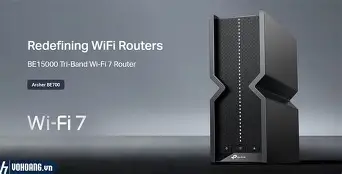
Personally, I kept the BE700 because I appreciate the headroom it gives me for the next few years and the clear improvements for local transfers and simultaneous 4K streaming. What I found was that the BE700 doesn't force you to change how you use your network — it just makes the high‑bandwidth scenarios less fragile. If you're ready for Wi‑Fi 7 or want to be ready without compromise, the Archer BE700 is worth considering; if you want maximum coverage for a large home right now or don't have Wi‑Fi 7 clients, weigh whether a mesh or a Wi‑Fi 6E option better suits your needs.