I Switched to the S95B Oled and Here is What Happened
Introduction
The landscape of home entertainment underwent a seismic shift with the introduction of QD-OLED technology, and at the forefront of this revolution was the Samsung S95B. For years, the television market was divided into two distinct camps: those who prioritized the infinite contrast and perfect black levels of traditional OLED, and those who preferred the high-peak brightness and vibrant color volume of Quantum Dot LED displays. The S95B represented the first commercial effort to bridge this gap, promising a "best of both worlds" scenario. When a user decides to switch from a traditional LED-LCD or even a standard W-OLED (White OLED) to the S95B, the experience is often described as transformative. This article explores the technical reality, the visual impact, and the long-term implications of making the switch to Samsung’s pioneer QD-OLED model.
Transitioning to a new flagship television is rarely just about having a larger screen. It is about how the display interacts with the environment, how it handles diverse content types—from low-bitrate streaming to 4K Blu-rays—and how it fulfills the specific demands of modern gaming. The S95B arrived with high expectations, tasked with proving that Samsung could not only compete in the OLED space but redefine it. For many enthusiasts, the switch to the S95B was prompted by a desire for more "impact" in HDR content, a common criticism of earlier OLED generations that sometimes struggled in brighter rooms or lacked the "pop" found in high-end Mini-LED sets.
The Technical Shift: Understanding QD-OLED
To understand what happens when one switches to the S95B, it is essential to grasp the underlying technology. Traditional OLED panels utilize a white subpixel alongside red, green, and blue filters. While effective, these filters can limit the total color brightness. Samsung’s QD-OLED approach uses a blue self-diffusing layer as the light source, which then passes through a layer of Quantum Dots to create red and green light. Because there is no color filter absorbing light energy, the S95B achieves significantly higher color volume and peak brightness levels.
When the TV is first powered on, the shift in color saturation is immediately apparent. Colors that previously looked "washed out" in bright highlights on other displays maintain their purity on the S95B. This is particularly noticeable in nature documentaries or animated films where primary colors are used extensively. The switch reveals a level of vibrancy that feels more lifelike, moving away from the clinical look of some older panels toward something more cinematic and visceral.
Detailed Product Analysis
Design and Physical Presence
The first thing a buyer notices during the switch is the physical profile of the S95B. It features what Samsung calls its "LaserSlim" design. The panel itself is impossibly thin—barely thicker than a few credit cards—which gives it a futuristic aesthetic that complements modern living rooms. However, this thinness requires careful handling during setup. The switch to such a minimalist design also means that the electronics are concentrated in a central housing on the back, allowing the edges to remain razor-thin. While striking, users switching from sturdier, traditional LED TVs often find the flexibility of the panel a bit nerve-wracking, though it remains stable once mounted or placed on its centered stand.
The HDR Experience
The true "aha!" moment happens when viewing High Dynamic Range (HDR) content. Most users switching to the S95B are coming from displays that hit peak brightness levels of 600 to 800 nits. The S95B comfortably pushes past 1,000 nits in small highlights, and because it is an OLED, those highlights sit directly next to pure black without any blooming or haloing. In a scene featuring a starry night or a bonfire, the contrast is startling. The fire doesn't just look bright; it has a textural warmth and orange-red depth that standard OLEDs often struggle to replicate at high luminance.
Furthermore, the S95B supports HDR10+ and HLG, though it famously lacks Dolby Vision. For those switching from a brand that heavily utilized Dolby Vision, there is often a concern about lost quality. However, Samsung’s sophisticated tone mapping and the sheer native performance of the QD-OLED panel often make this a moot point. The raw power of the hardware compensates for the lack of dynamic metadata in Dolby Vision, providing an image that feels balanced and exceptionally punchy.
Gaming Performance
For gamers, the switch to the S95B feels like moving into a new era. With four HDMI 2.1 ports, all supporting 4K at 120Hz (and even 144Hz for PC players), the TV is a powerhouse. The inclusion of Variable Refresh Rate (VRR), Auto Low Latency Mode (ALLM), and AMD FreeSync Premium Pro ensures that gameplay is fluid. But the real difference is the input lag—which is among the lowest in the industry—and the "Game Bar" which allows users to monitor stats and adjust settings on the fly.
Switching from a TV with high input lag to the S95B can actually improve performance in fast-paced competitive games. The instantaneous response time of the OLED pixels eliminates motion blur, making it easier to track targets. In HDR games, the S95B renders sun glints off cars or magical spell effects with a searing intensity that adds a level of immersion previously reserved for high-end gaming monitors.
Shop the latest TVs & Home Theater picks on Amazon.
Shop Amazon →Pros and Cons of the S95B Switch
- Unmatched Color Volume: The Quantum Dot layer allows for incredibly saturated colors even at high brightness levels, which is a significant step up from standard OLEDs.
- Infinite Contrast: Like all OLEDs, each pixel can turn completely off, resulting in perfect blacks and no light bleed, which is essential for movie nights in dark rooms.
- Viewing Angles: The S95B offers perhaps the best viewing angles on the market. There is almost no color shift or loss of brightness even when sitting at extreme angles.
- Gaming Features: Full HDMI 2.1 support across all ports and a 144Hz refresh rate capability make it a top-tier choice for console and PC gamers alike.
- Panel Uniformity: Generally, QD-OLED panels have shown excellent uniformity with very little "dirty screen effect," which is a common complaint on large LED-LCD TVs.
- No Dolby Vision: The absence of Dolby Vision remains a point of contention for cinephiles who have a large library of Dolby Vision content.
- Ailment of Bright Rooms: While the TV is very bright, the lack of a traditional polarizer can cause the black levels to appear slightly gray or "raised" if direct sunlight or intense ambient light hits the screen.
- Build Fragility: The ultra-thin design makes the panel prone to bending if not handled with extreme care during relocation or wall mounting.
- Tizen OS Learning Curve: The revamped Tizen smart interface can feel cluttered and less intuitive than previous versions, requiring some time for the user to customize and navigate efficiently.
Comparison Table: S95B vs. Competition
When making the switch, it helps to see how the S95B stacks up against the technologies it replaced or competes with. The following table highlights the key differences encountered during the transition.
| Feature | Samsung S95B (QD-OLED) | Standard W-OLED | High-End Mini-LED |
|---|---|---|---|
| Black Levels | Perfect (Infinite) | Perfect (Infinite) | Excellent (Minor Blooming) |
| Peak Brightness | High (~1000-1100 nits) | Moderate (~600-800 nits) | Very High (1500+ nits) |
| Color Saturation | Extremely High | High | Very High |
| Viewing Angles | Exceptional | Very Good | Fair to Good |
| Motion Handling | Near Instantaneous | Near Instantaneous | Very Good (Depends on Processor) |
| Reflections | Good (but can raise blacks) | Very Good | Excellent (Aggressive Coatings) |
What Buyers Typically Care About: The Real-World Impact
The "Pink Tint" and Ambient Light
One specific observation that occurs after the switch is how the S95B reacts to ambient light. Because QD-OLED panels lack a standard polarizing layer to improve light efficiency, the screen has a slightly reddish or magenta tint when turned off in a bright room. More importantly, in a room with a lot of light, the "pure black" can look a bit lifted. For users coming from a darkened home theater environment, this isn't an issue. However, for those switching from a high-end LED TV in a sunlit living room, finding the right placement—away from direct windows—is a crucial part of the setup process.
Smart Features and Ecosystem
Samsung’s Tizen OS is a robust platform, but the switch involves adapting to a full-screen menu system that emphasizes content discovery. For those already in the Samsung ecosystem, the integration with SmartThings is a major plus. You can control your lights, check your fridge, or mirror your Samsung phone with ease. The "Object Tracking Sound" (OTS) feature also provides a surprisingly wide soundstage for built-in speakers, though most people making this switch will likely pair the TV with a dedicated soundbar or surround system.
Longevity and Burn-in Concerns
Every switch to an OLED comes with the lingering fear of image retention or burn-in. Samsung has implemented several mitigation strategies, including pixel shifting and logo detection. While QD-OLED is a newer technology, early data suggests it is at least as resilient as modern W-OLED panels. However, users should be mindful of leaving static elements (like news tickers or HUDs) on the screen for twelve hours a day. For the average viewer of movies, TV shows, and varying games, the risk is minimal compared to the visual rewards.
Buying Guide: Is the Switch Right for You?
Making the switch to the S95B is a significant investment. Here is how to determine if it fits your specific profile as a consumer.
The Cinephile
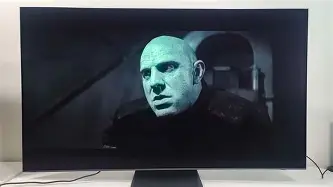
If you watch movies in a light-controlled room and value "pop" and color accuracy, the S95B is an excellent choice. The ability to see details in highlights that other OLEDs might clip is a game-changer. Even without Dolby Vision, the HDR performance is among the best available for cinematic content.
The Competitive Gamer
If you own a PlayStation 5, Xbox Series X, or a high-end gaming PC, this is one of the most compelling displays you can buy. The combination of 144Hz support, low input lag, and the contrast of OLED makes every game look like a showcase title. Ensure you have high-quality 48Gbps HDMI cables to take full advantage of these features.
The Bright-Room Viewer
If your TV sits directly opposite a large window that remains uncovered during the day, you might want to consider the environment carefully. While the S95B is bright enough to cut through glare, the lifting of black levels in high ambient light can diminish some of the "OLED advantage." In these cases, a flagship Mini-LED might be a more practical, if less contrast-rich, alternative.
Shop the latest TVs & Home Theater picks on Amazon.
Browse Now →The Lifestyle User
For those who care about the "look" of the tech as much as the performance, the S95B is hard to beat. Its profile is a conversation starter. If you want a TV that looks like a piece of modern art on your wall, the switch to "LaserSlim" design will be highly satisfying.
Optimizing the Experience After the Switch
Once the S95B is in place, there are a few steps every user should take to ensure they are getting the most out of their switch. First, exploring the "Filmmaker Mode" is essential. Samsung TVs are known for being very "vivid" out of the box, which can sometimes look artificial. Filmmaker Mode disables unnecessary processing and sets the color temperature to a more accurate D65 standard, ensuring you see the content as the creators intended.
Second, for gamers, navigating to the "Game Mode" settings and ensuring "HDR10+ Gaming" or "HGIG" is enabled will provide the most accurate tone mapping for console games. This prevents the "double tone mapping" effect where both the console and the TV try to adjust the image, which can lead to loss of detail in very bright or very dark areas.
Finally, consider the sound. While the S95B has decent speakers for its thickness, the visual scale of the QD-OLED image demands a matching audio experience. Since the TV supports Q-Symphony, pairing it with a compatible Samsung soundbar allows the TV speakers and the soundbar to work in unison, creating a more elevated soundstage that feels like it’s coming directly from the screen.
Conclusion
Switching to the Samsung S95B OLED is more than just an upgrade in resolution or size; it is a fundamental shift in how colors and light are rendered in the home. The introduction of QD-OLED technology effectively addressed the primary limitation of traditional OLED—color brightness—and delivered a display that feels both technically superior and emotionally resonant. While the absence of Dolby Vision and the sensitivities to ambient light are valid considerations, they are often overshadowed by the sheer brilliance of the S95B’s peak highlights and its nearly flawless gaming integration.
What happens when you switch is that your expectations for what a television can do are recalibrated. You start to notice the subtle gradations in a sunset, the metallic sheen on a car in a racing game, and the true depth of a shadowed hallway in a horror film. The S95B isn't just a screen; it’s a window into the potential of modern display engineering. For those willing to handle its delicate frame and optimize its settings, the switch results in one of the most rewarding visual experiences currently available in the consumer market.